AI flat lay product photographyFood & beverage

Build a flat lay around your product.

Create an overhead composition with relevant styling, controlled light and a clear product focus.
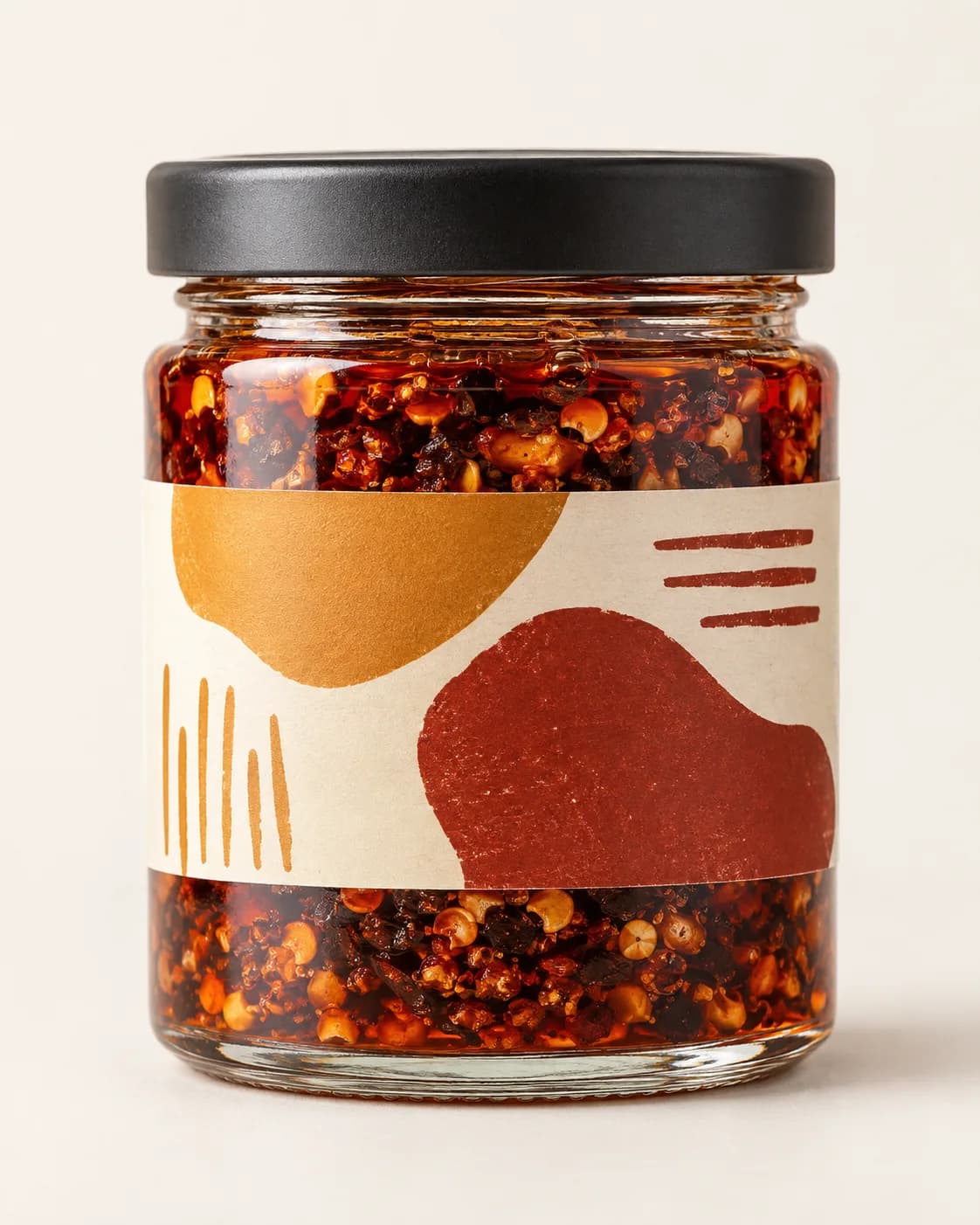
Artisan chili crisp jar in a plain seller product photo
Before
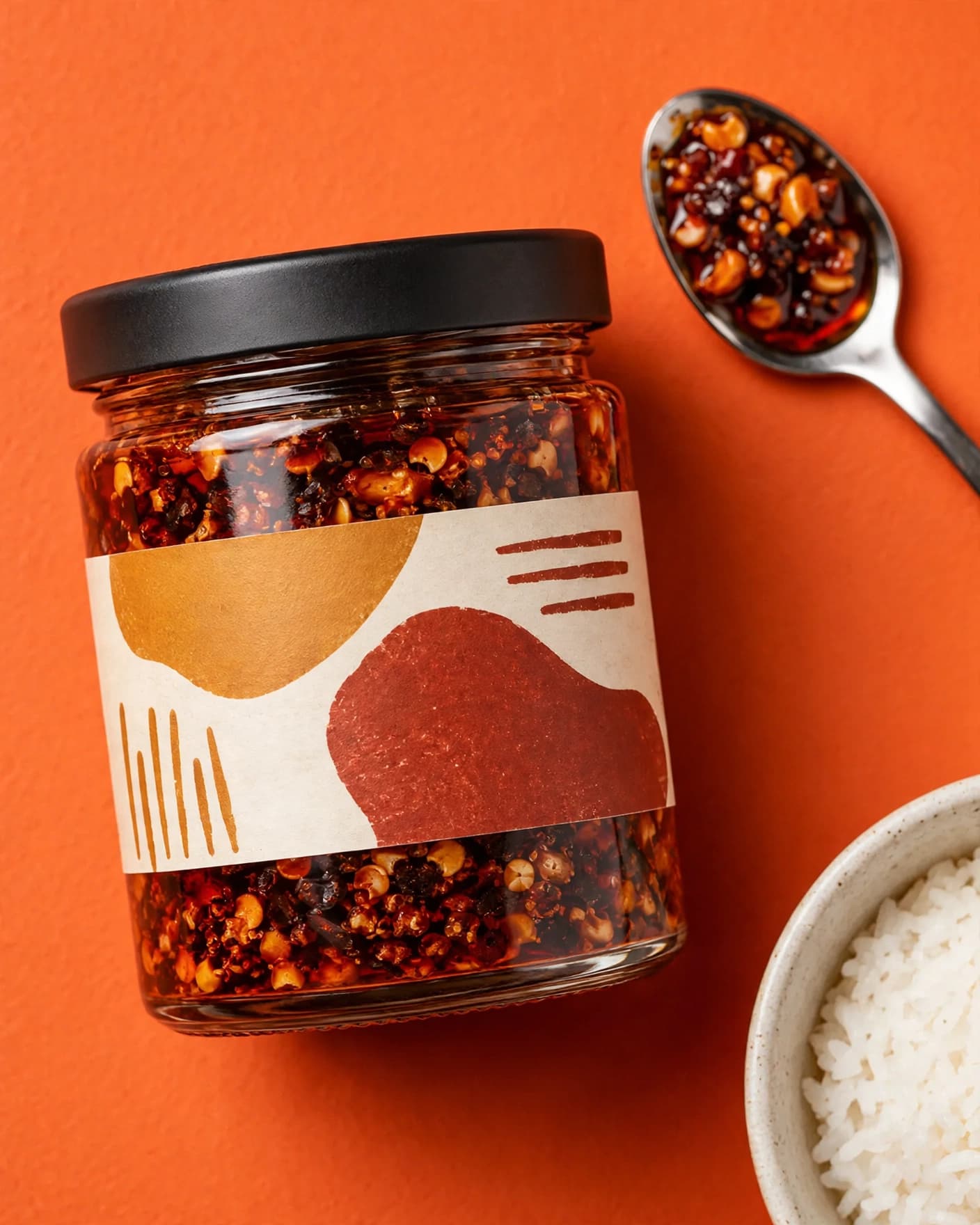
Same artisan chili crisp jar in styled overhead flat lay product photography
After
Use this preset

Upload your product photo. Eligible new users start with 10 one-time image credits.
What this preset does

Change the presentation, not the product.

The Styled Flat Lay preset turns one product image into a deliberate overhead composition. It adds only category-relevant supporting elements and keeps the product as the visual anchor for fast-scanning ecommerce and social placements.

Creative direction

What changes

  • Reframes the scene from a high overhead view
  • Adds restrained category-relevant styling
  • Creates clear negative space and believable shadows
Product truth

What should stay recognizable

  • The original product and packaging identity
  • Visible colors, materials and proportions
  • A single dominant product hierarchy

Commercial use

Where this output fits.

Use the result where it has one clear ecommerce job, then compare it with the real product before publishing.

  • 01Social and email creative
  • 02Collection and editorial pages
  • 03Food, beauty and accessory campaigns

How to use it

From source image to reviewed result.

  1. 01

    Start with one product

    Use a clean image where the package or product shape is easy to understand.

  2. 02

    Add one useful direction

    If needed, name the surface, season or small set of supporting ingredients that fits the product.

  3. 03

    Generate the flat lay

    Check that every supporting object remains secondary and the product stays accurate and readable.

FlowEdit / Privacy

Choose which optional technologies FlowEdit may use on the website.

Essential

Required for authentication, security, billing and core features.

Always active