
A practical guide for ecommerce teams
Product photography without another photoshoot.
Yes—with the right source and the right job. A clear image you already own can become new product, lifestyle, campaign, and ad creative. It cannot safely reveal details or angles the source never showed.
10 one-time image credits · No subscription required
Before you generate
The source photo sets the ceiling.
A better source reduces guesswork. It gives you a clearer result to review and fewer reasons to regenerate.
- 01Show the whole product
Keep the silhouette, edges, and important components inside the frame.
- 02Use honest color and light
Avoid heavy filters, blown highlights, deep shadows, and mixed color casts.
- 03Make details readable
Labels, seams, hardware, materials, closures, and controls should be sharp enough to compare.
- 04Capture missing facts first
If customers need another angle or hidden feature, photograph it. Do not ask AI to invent it.
A repeatable production workflow
One source. One clear job. One review.
The fastest workflow is not the one with the longest prompt. It is the one that decides what the image must do before generation starts.
- 01
Start with a source you can verify
Use a sharp image that shows the full product, its real color, materials, construction, labels, and the details a customer would rely on.
- 02
Choose one commercial job
Decide whether you need a cleaner catalog image, a lifestyle scene, a campaign visual, or an ad concept before you generate.
- 03
State what must stay unchanged
Keep the product identity, geometry, materials, color, packaging, and distinctive details anchored to the source image.
- 04
Review before you publish
Compare source and result at full size. Reject changes to details that could misrepresent what the customer will receive.
Real FlowEdit evidence
From a neutral product image to a useful campaign setting.
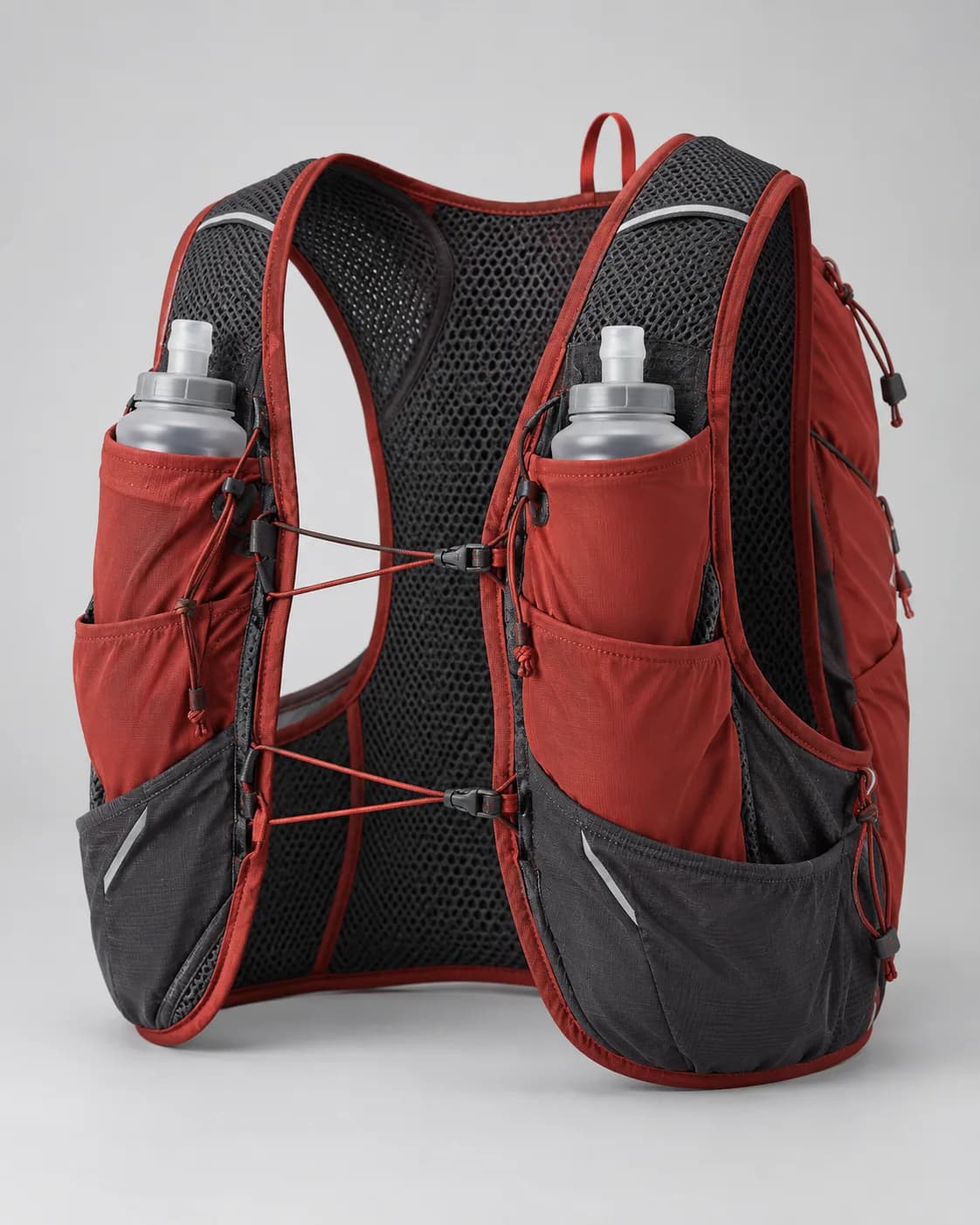
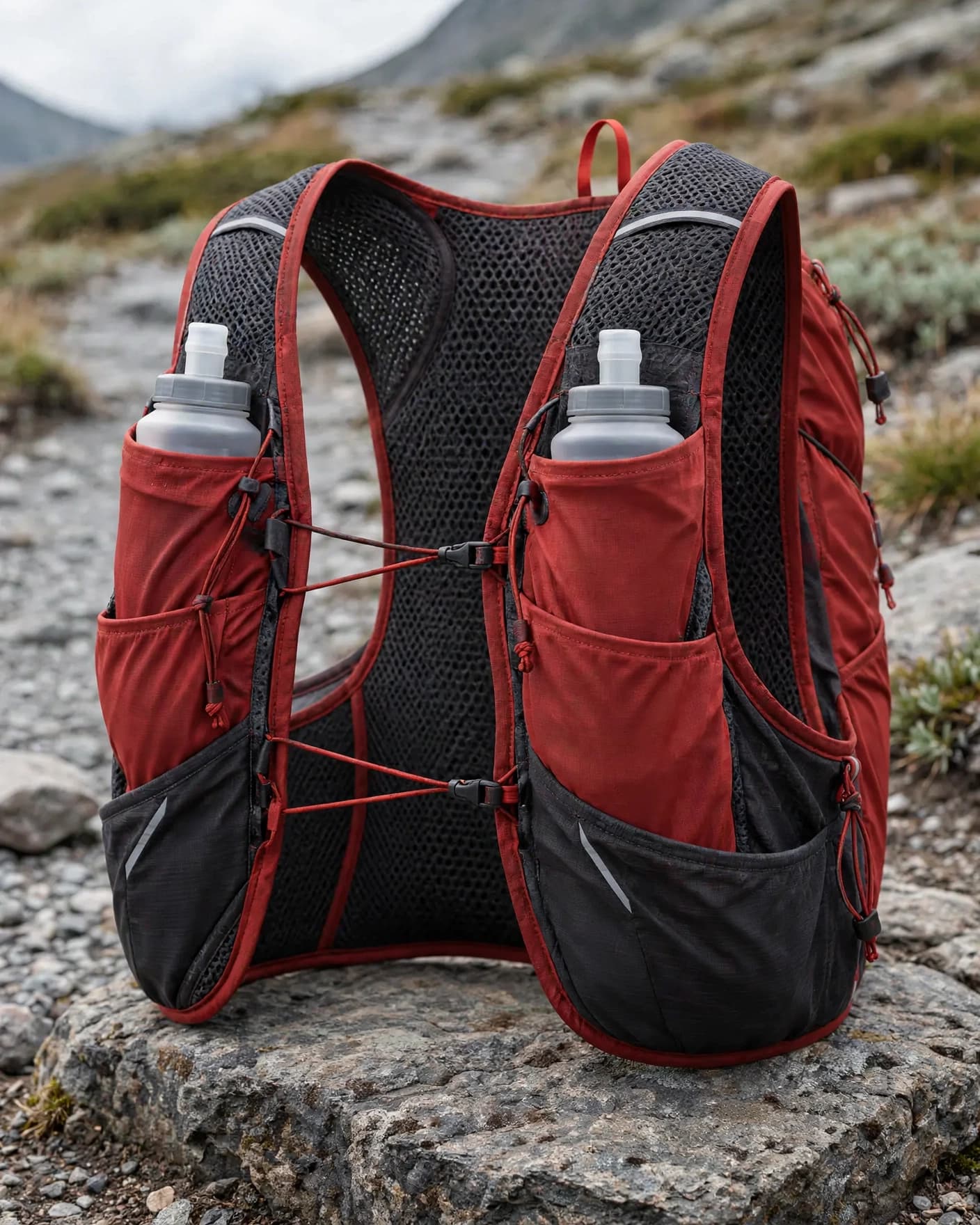
The scene changed. The defining vest structure remained visible enough for a product-owner review.
Clear silhouette, paired flasks, mesh, pockets, cords, and color blocking.
Passed with review in our first-output test. Small hardware still needs a product-owner check.
This is one representative result, not a universal accuracy claim. See the full 10-image fidelity test, including the two outputs we rejected.
Choose by representation risk
Use AI for new context. Reshoot for missing truth.
The costliest mistake is not booking a shoot. It is publishing an attractive image that misrepresents the product.
| Need | Best starting point | Why |
|---|---|---|
| New background or cleaner setting | Constrained AI edit | The visible product can stay anchored while the surrounding scene changes. |
| Lifestyle, campaign, ad, or social direction | AI generation + close review | The source supplies identity while the result explores a new commercial context. |
| Unseen back, side, inside, or functional detail | New product capture | The source does not contain the information needed to represent that view truthfully. |
| Exact packaging, text, dimensions, or regulated claim | Verified photography or manual compositing | Small inaccuracies can mislead customers even when the overall image looks polished. |
Method and context
Built from first-party proof, not a stock-image promise.
The transformation above is a real FlowEdit result from our documented fidelity test. We also reviewed current guidance from Shopify and Designkit to confirm the wider workflow and search need.
FlowEdit's contribution is the practical source gate, publish review, and reshoot boundary that ecommerce operators need before treating generated creative as finished product photography.
Published by FlowEdit · Last updated 16 October 2026
Practical answers
Product photography without a photoshoot FAQ
Can I create product photography without a new photoshoot?
Yes, when you already have a clear product image and need a new background, setting, crop, lighting direction, or campaign context. AI still needs a truthful source image; it does not replace the need to capture details or angles that are not visible.
Is a phone photo good enough to start?
It can be, if it is sharp, evenly lit, high enough resolution, and shows the complete product without heavy perspective distortion. A clean supplier or existing product-page image can also work. The better the source explains the product, the easier the result is to verify.
Which images should still be photographed conventionally?
Use a new capture or professional reshoot when you need an unseen angle, exact dimensions, highly accurate packaging or text, regulated claims, complex jewelry settings, hidden construction, or proof of a feature the source does not show.
Can AI create every image in a product listing?
Not safely from one view alone. AI can extend the creative set, but the listing should still give shoppers truthful information. Keep verified images for important angles and details, then use generated visuals for suitable backgrounds, lifestyle context, campaigns, ads, and social content.
Start with what you already have
Turn one clear product image into your next creative direction.
Use the 10 one-time image credits to test a real product, then compare every result with the source before publishing.