AI seasonal product social postFood & beverage

Turn one product photo into seasonal social creative.

Create a timely product image using recognizable seasonal cues and a clear social hierarchy.
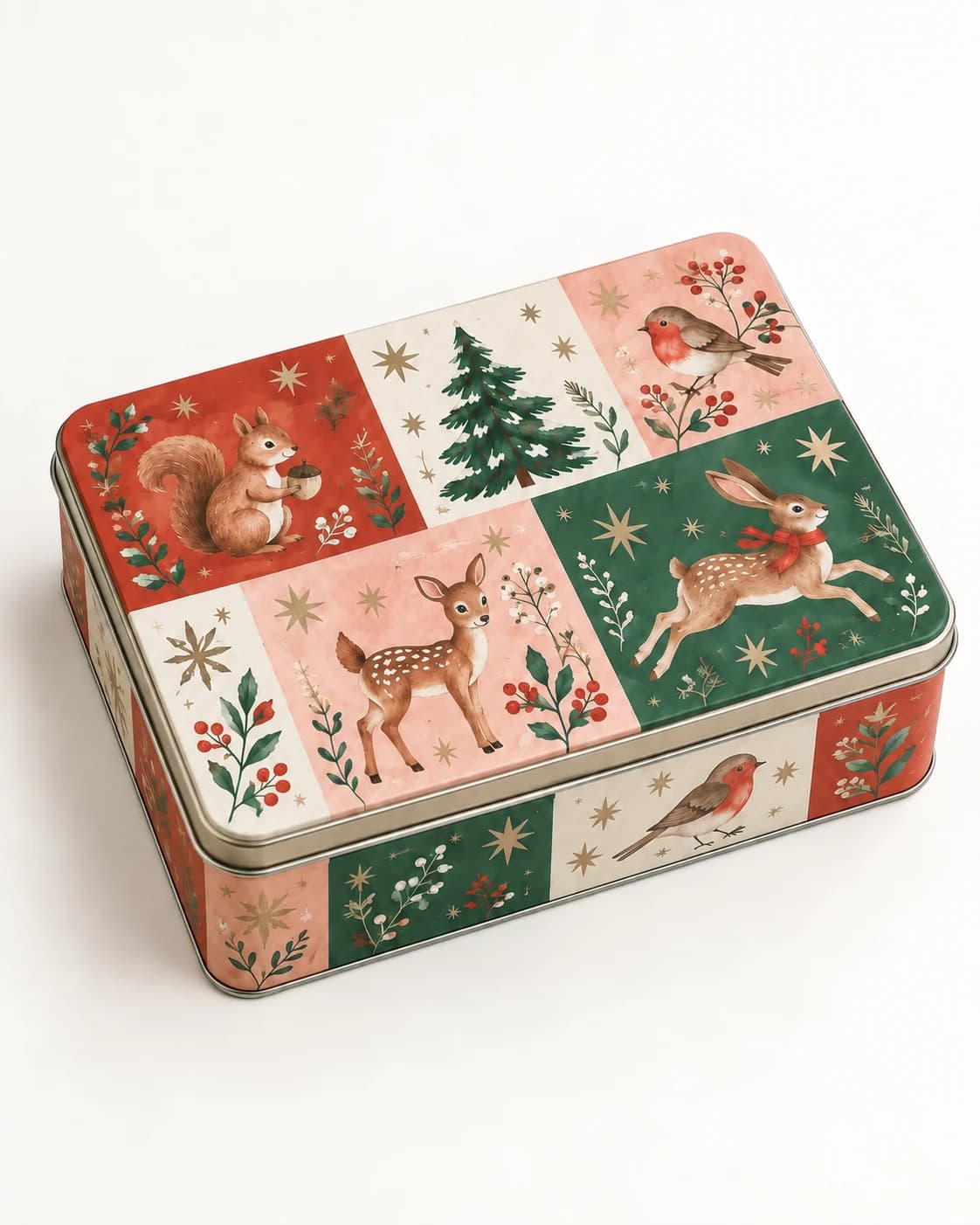
Illustrated winter cookie tin in a clean seller product photo
Before
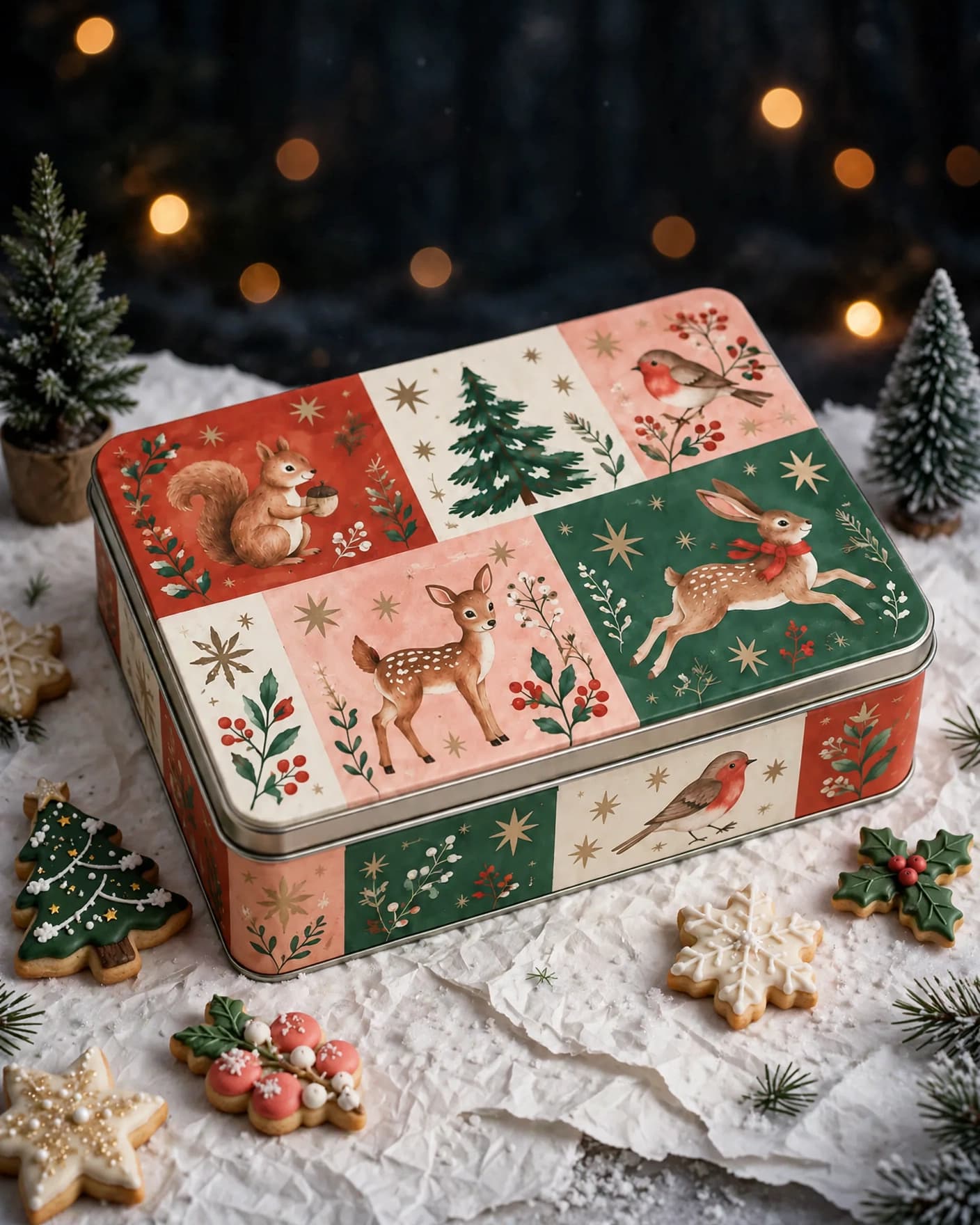
Same illustrated cookie tin in a festive winter social post
After
Use this preset

Upload your product photo. Eligible new users start with 10 one-time image credits.
What this preset does

Change the presentation, not the product.

The Seasonal Social Post preset gives an existing product a timely social setting with recognizable seasonal cues. It keeps the product dominant and leaves pricing, offers and dates out of the generated image so your team can add only accurate claims.

Creative direction

What changes

  • Introduces a clear seasonal setting
  • Adds social-first styling and hierarchy
  • Creates atmosphere without embedding offer copy
Product truth

What should stay recognizable

  • Package structure and illustrated identity
  • Product color, materials and proportions
  • A clear, readable product focal point

Commercial use

Where this output fits.

Use the result where it has one clear ecommerce job, then compare it with the real product before publishing.

  • 01Holiday content calendars
  • 02Seasonal collection announcements
  • 03Organic and paid social creative

How to use it

From source image to reviewed result.

  1. 01

    Add your product photo

    Use a clear source where the product shape, materials and important details are visible.

  2. 02

    Keep or refine the direction

    Use the preset as-is or add one focused instruction for your brand or campaign.

  3. 03

    Review the result

    Check product identity, construction and any generated details before publishing.

FlowEdit / Privacy

Choose which optional technologies FlowEdit may use on the website.

Essential

Required for authentication, security, billing and core features.

Always active