AI beverage product photographyFood & beverage

Create beverage product photography from the package image you already have.

Add cold, tactile serving context and campaign polish while keeping the uploaded bottle or can as the product reference.
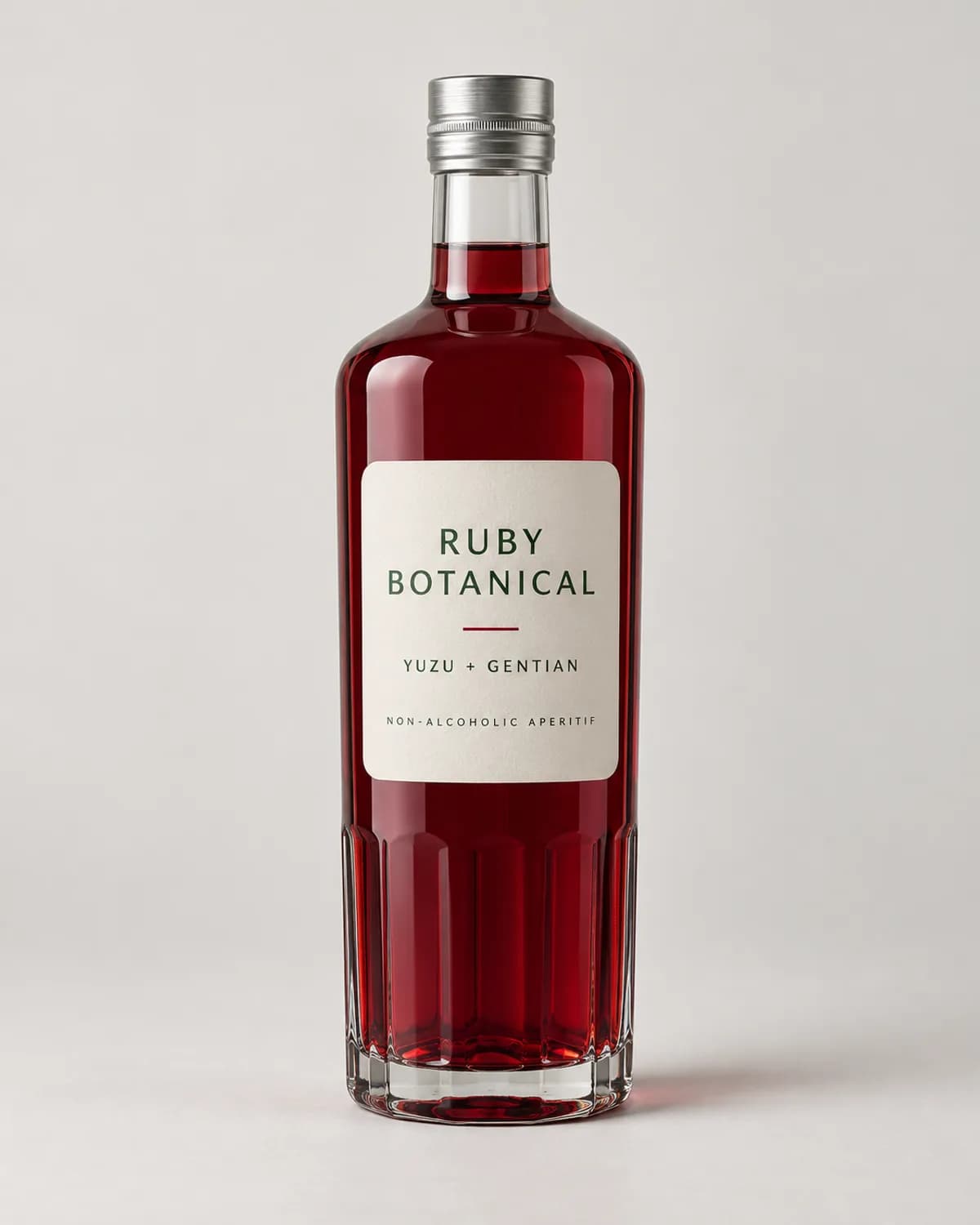
Ruby botanical aperitif in a clear glass bottle in a clean ecommerce source photograph
Before
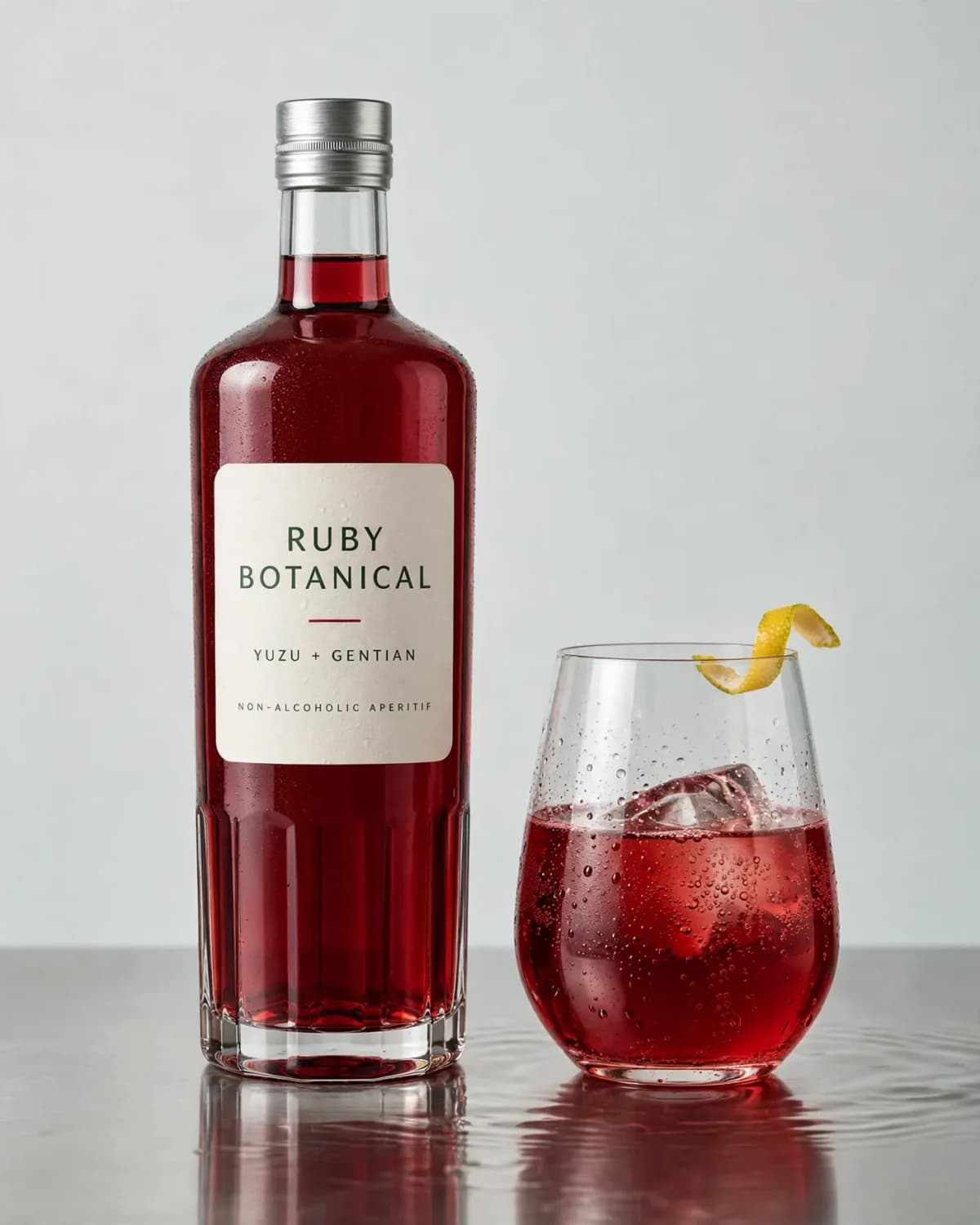
Same ruby botanical aperitif bottle beside a cold sparkling serve with a yuzu peel
After
Use this preset

Upload your product photo. Eligible new users start with 10 one-time image credits.
What this preset does

Change the presentation, not the product.

This AI beverage product photography preset turns one clear package image into a cold, tactile ecommerce scene. It adds a believable finished serve, glassware, ice, bubbles, condensation, reflections, and controlled commercial light while keeping the drink package prominent enough to inspect what customers will receive.

Creative direction

What changes

  • Builds a finished beverage serve around the uploaded package
  • Adds believable glassware, ice, bubbles, condensation, and garnish
  • Creates controlled reflections, depth, and campaign-ready polish
Product truth

What should stay recognizable

  • Container shape, proportions, material, closure, and label
  • Readable text, liquid color, fill level, and product identity
  • A clear and commercially readable package hierarchy

Commercial use

Where this output fits.

Use the result where it has one clear ecommerce job, then compare it with the real product before publishing.

  • 01Beverage product and collection pages
  • 02Launch, seasonal, and retail campaigns
  • 03Paid social, organic content, and email creative

How to use it

From source image to reviewed result.

  1. 01

    Upload the complete drink package

    Choose a well-lit source where the full container, closure, label, liquid, fill level, and important text are easy to inspect.

  2. 02

    Set the serving direction

    Keep the preset or add one focused instruction about the glass, garnish, temperature, surface, or campaign context that fits the drink.

  3. 03

    Review package and liquid

    Check label text, liquid color, ice, bubbles, condensation, refraction, reflections, scale, and garnish carefully before publishing.

FlowEdit / Privacy

Choose which optional technologies FlowEdit may use on the website.

Essential

Required for authentication, security, billing and core features.

Always active