Product photo to ad creative

Turn one product photo into ad creative you can actually review.

Start with the product you already sell. Define one advertising job, create a stronger visual direction, then compare every important detail before you publish.

10 one-time image credits · No subscription required

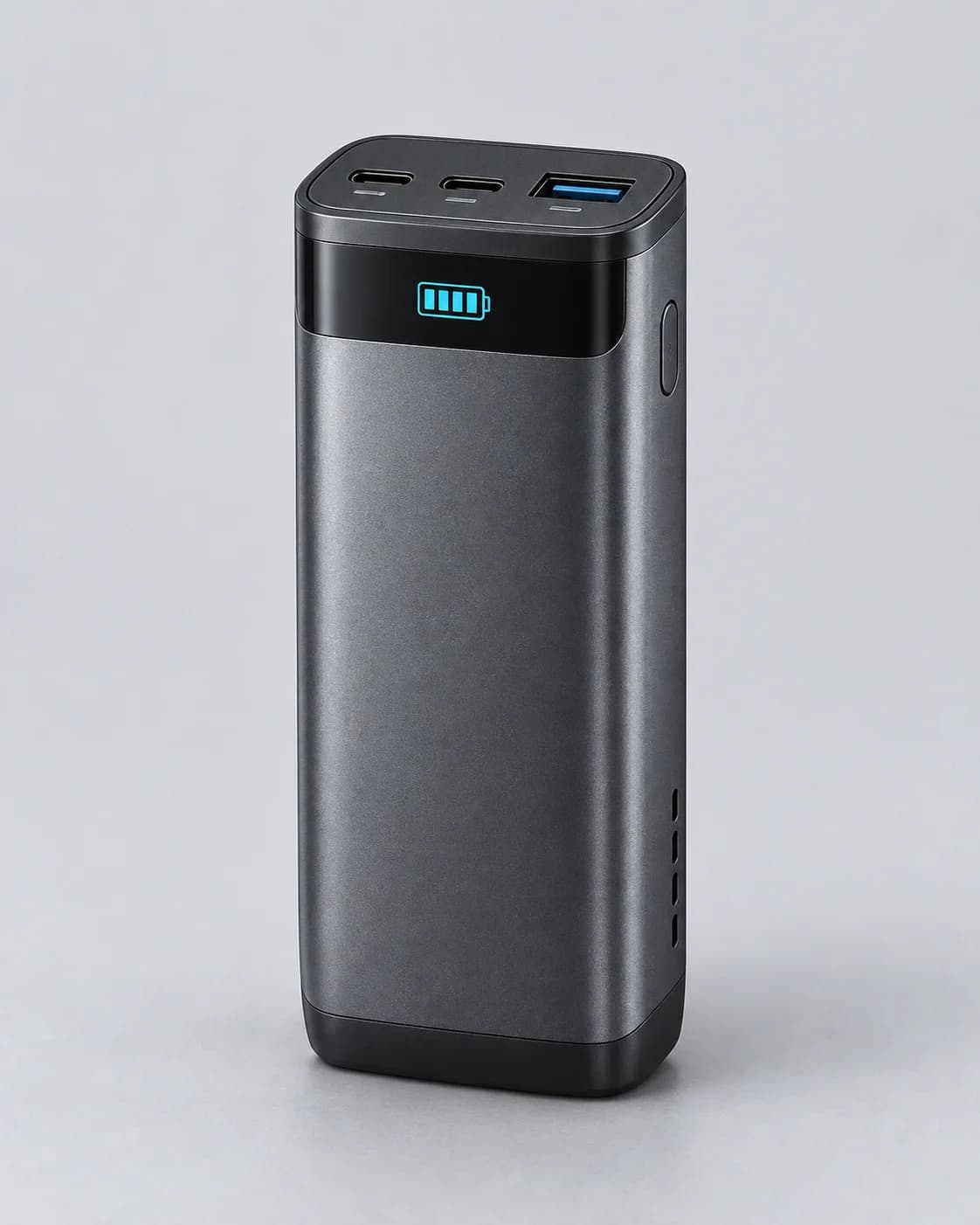
Clean source product photo of a compact graphite power bank
SourceExisting product image
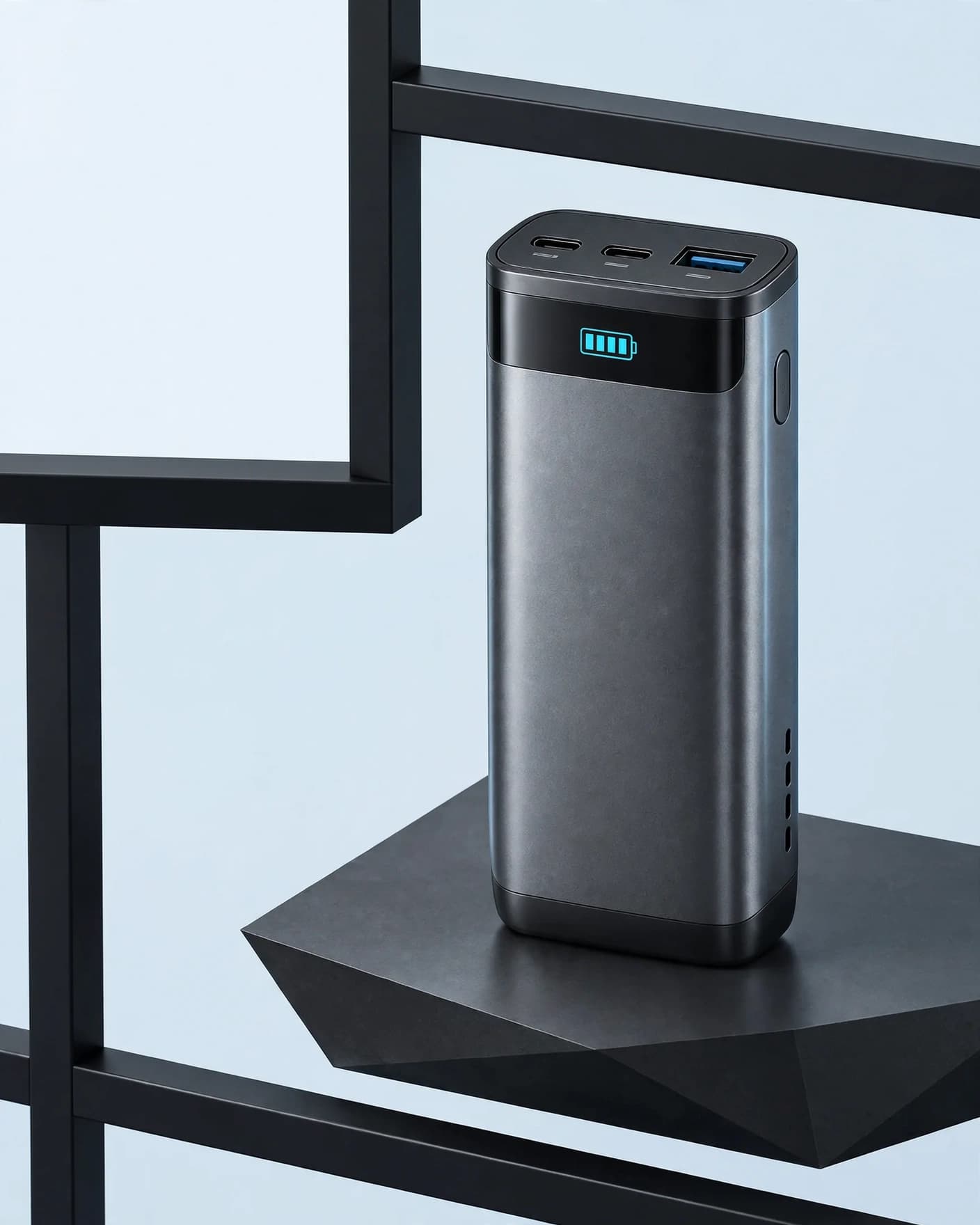
FlowEdit result showing the same graphite power bank in an architectural product hero ad
ResultProduct hero ad visual

Brief before prompt

Separate what must stay true from what should change.

That single distinction gives the generator a clear creative job and gives your team a concrete review standard.

Product truth

The visible facts the result must preserve.

  • Graphite rectangular housing and proportions
  • Two USB-C ports and one blue USB-A port
  • Cyan battery display and black control band
  • Right-side button and lower vent stack
  • Metallic material hierarchy and rounded edges
Creative direction

The commercial treatment that can change.

  • Architectural technology set
  • Stronger scale and product separation
  • Cool directional commercial light
  • High-contrast frame with useful negative space
  • No generated headline, price, logo, or claim

A controlled workflow

Five decisions from source to usable visual.

The generator does not decide the product promise, offer, or audience for you. Define those decisions first, then use FlowEdit to produce the visual foundation.

  1. 01

    Define the ad job

    Choose one commercial purpose: stop attention, introduce a product, spotlight a feature, show a use case, or support a real offer.

  2. 02

    List product invariants

    Write down the visible geometry, colors, materials, controls, packaging, labels, and distinctive details that must remain unchanged.

  3. 03

    Choose one visual direction

    Describe the scene, hierarchy, light, crop, and negative space that serve the ad job. Do not ask one image to perform several concepts.

  4. 04

    Generate the image foundation

    Use the product photo as the identity reference. Keep prices, claims, calls to action, and campaign copy out of the generated image.

  5. 05

    Review, then finish the ad

    Compare source and result at full size. Add approved copy and brand elements afterward in a layout you can edit precisely.

Real FlowEdit example

Review the product before you admire the scene.

The architectural result has a stronger advertising hierarchy. It is useful only if the visible hardware still describes the product being sold.

Graphite power bank source image used as the product reference
01 · SourceInspectable hardware map

The complete silhouette, ports, display, side control, vents, and material transitions are visible before generation.

Architectural product hero ad generated from the graphite power bank source
02 · FlowEdit resultStronger commercial hierarchy

The setting, contrast, scale, and copy space changed while the main visible product system remained recognizable.

CheckHousing + proportions
CheckPort layout
CheckDisplay + controls
CheckMaterials + color

This example shows one useful visual direction, not guaranteed product fidelity or advertising performance. The product owner remains responsible for final approval.

Finish outside the generated image

Keep campaign facts editable.

Generate the strongest product-led frame first. Add the elements that change by offer, market, placement, or legal review afterward.

01Headline

Match one audience and one reason to care.

02Price or offer

Use only the current verified commercial terms.

03Logo + CTA

Place brand assets and the next action precisely.

04Placement crop

Export the required ratio without hiding the product.

Publish-or-reject review

A polished scene is not enough.

  • Same product?Compare geometry, parts, colors, materials, packaging, and text.
  • Clear ad job?The product and message hierarchy should be understandable at placement size.
  • Useful copy space?Negative space should support the real layout rather than leave the product too small.
  • No invented claim?The scene must not imply a feature, audience, result, or included item that is not supported.
  • Right crop?Review every intended aspect ratio before media spend begins.

Practical answers

Product-photo-to-ad FAQ

Can one product photo become an ad creative?

Yes, when that photo clearly shows the product details needed for the result. It can support a new scene, lighting direction, composition, and crop. It cannot safely establish an unseen side, hidden feature, exact scale, or other missing product fact.

Should the AI image include the headline and call to action?

Usually no. Generate the product-led visual and useful negative space first, then add approved headlines, prices, offers, disclaimers, logos, and calls to action in an editable design layer. This keeps factual campaign copy under your control.

How do I keep the product recognizable?

Start with a sharp, complete source image; state the important product invariants; avoid asking for a contradictory angle or action; and compare the result against the real SKU before publishing.

Does a polished image guarantee better ad performance?

No. Creative quality can make an ad easier to notice and understand, but performance depends on the offer, message, audience, placement, media buying, and measurement. Treat the generated image as one testable creative direction, not a guaranteed result.

Research basis

Built from current workflow evidence.

This guide was informed by current product-to-ad workflows from Photo2Ads, PixelAPI, and AI Ad Creatives, then grounded in FlowEdit's actual product-preservation and review workflow. Last updated 16 October 2026.

Start with your product

Create the visual. Keep the claims under your control.

Use the Product Hero Ad direction, compare the result with your source, then finish the campaign in the format you need.

FlowEdit / Privacy

Choose which optional technologies FlowEdit may use on the website.

Essential

Required for authentication, security, billing and core features.

Always active